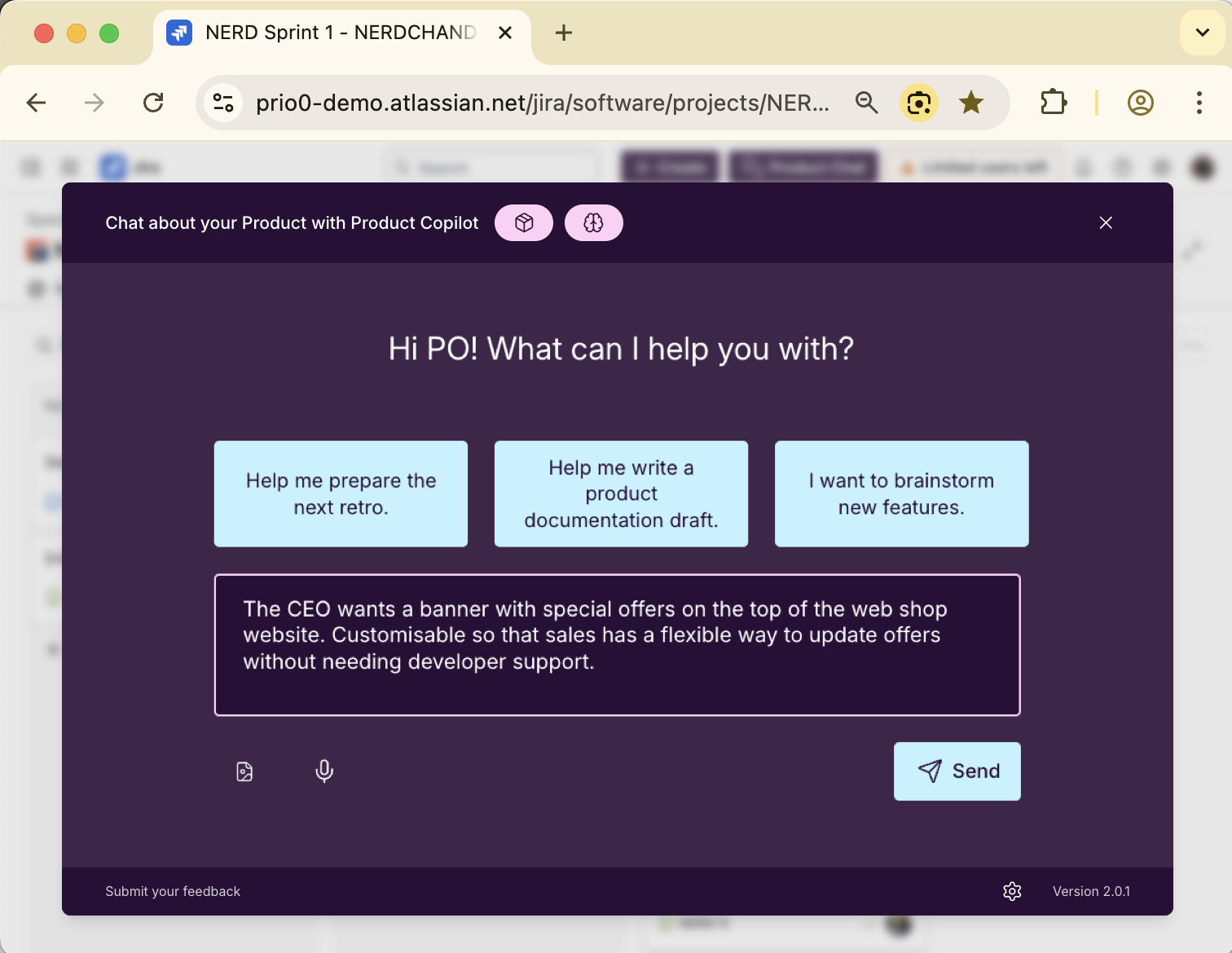
AI that knows your Jira, your Confluence and your code base
Product Copilot helps developers get context-aware answers from all connected sources. Ask anything inside your IDE about Jira or Confluence, or ask anything inside Jira or Confluence and reference or process code.
Integrated with your tools





Built for Development Workflows
Connect Product Copilot with your tools, your code and developer knowledge
MCP Server
Access Product Copilot directly from your IDE through Model Context Protocol. Get Jira and Confluence data where you code.
* Requires an additional coding AI (e.g., GitHub Copilot, Cursor, or Claude)
Git Repo Uploader
Sync the code and documentation of your git repositories to Product Copilot. Get AI-powered answers that understand your codebase and project history.
Knowledge API
Upload all relevant information to Product Copilot and make them accessible for AI. Your documentation, code, and product information in one place.
How Product Copilot helps developers in their daily work
An AI assistant that understands your product and speaks your code
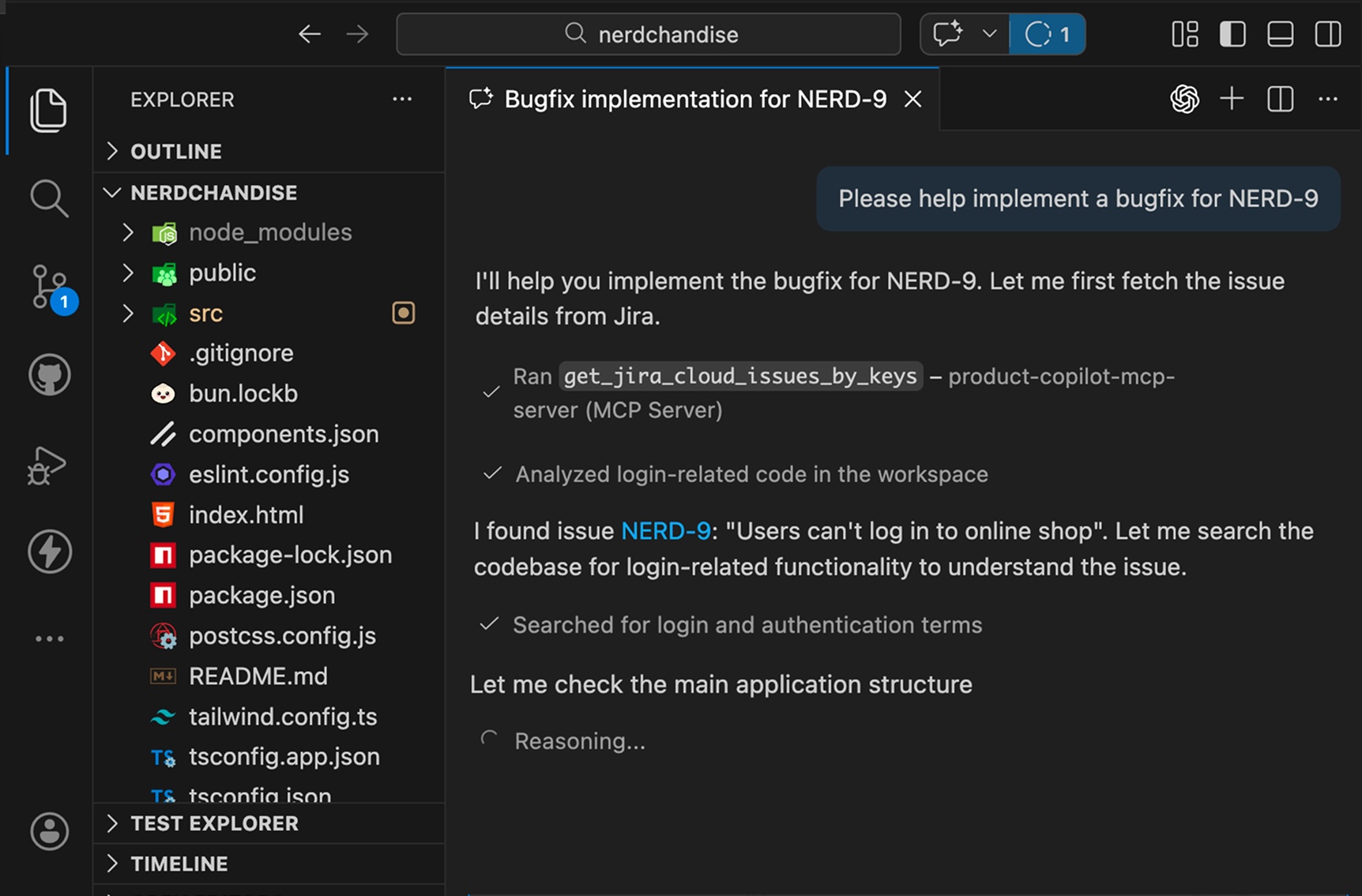
Get Jira Tickets Directly in Your IDE
Pull Jira information directly into your IDE. Work on new features, fix bugs, or automate ticket-based workflows without leaving your development environment.
Just configure Product Copilot as MCP server for your coding AI and get Jira context where you code.
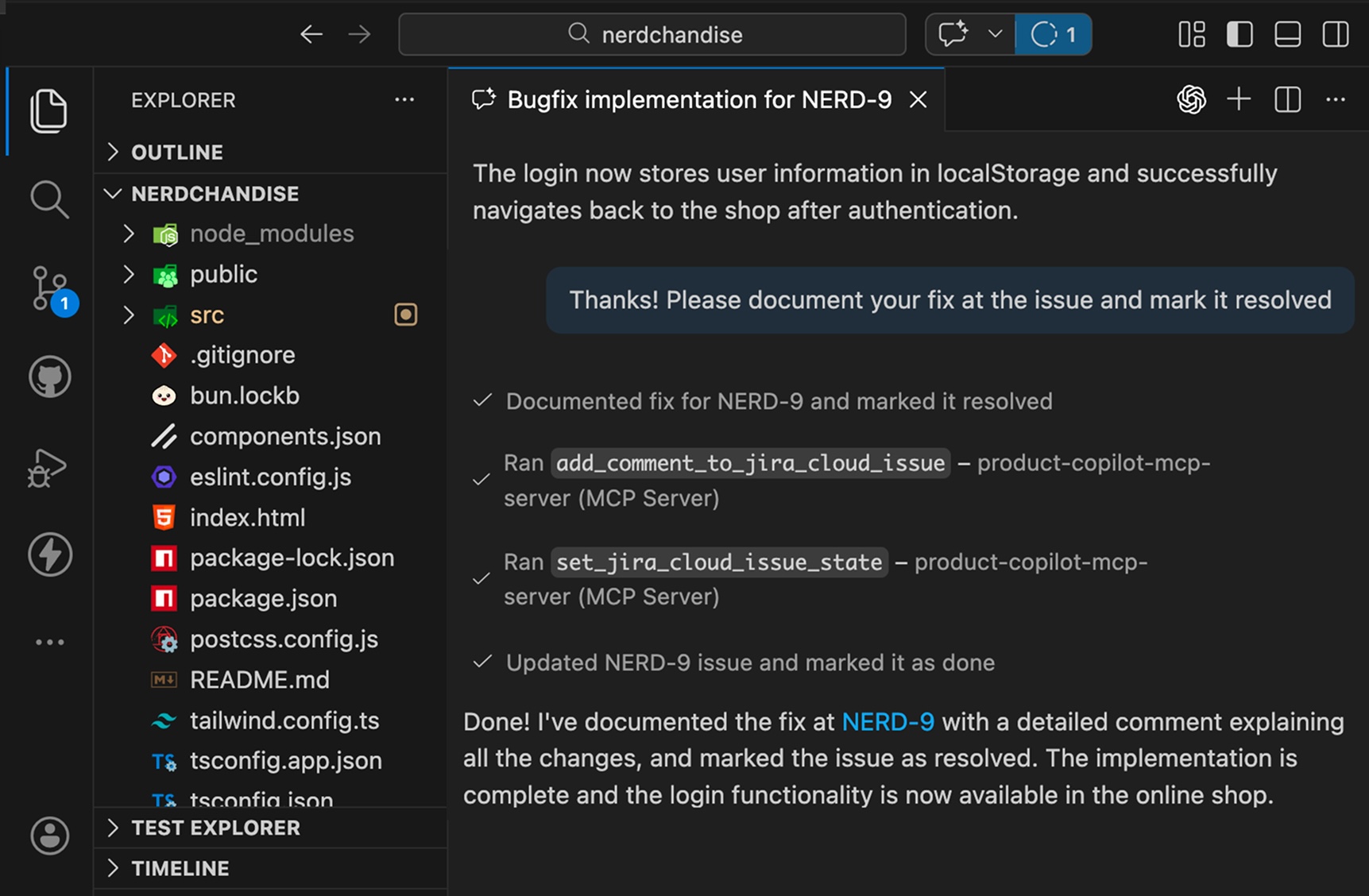
Update Jira From Your IDE
Update ticket status, add comments, or log work directly from your IDE. No need to switch between tools to keep Jira up to date.
Keep your team informed without breaking your coding flow.
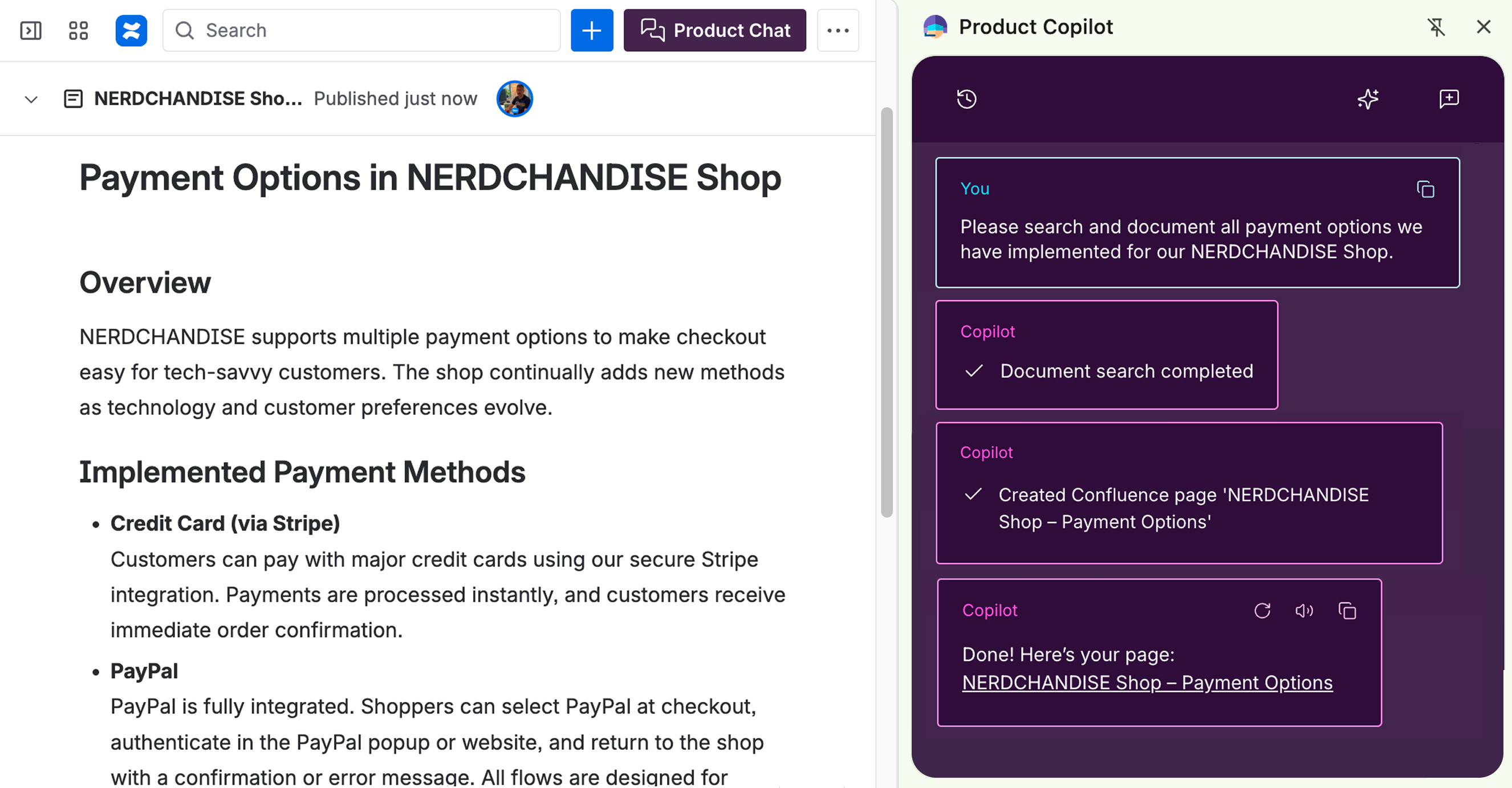
Write Documentation
Document features, APIs, or architecture directly in Confluence with AI assistance. Product Copilot helps structure your thoughts into clear and precise documentation.
Spend less time writing, more time building. Keep your documentation comprehensive and current.
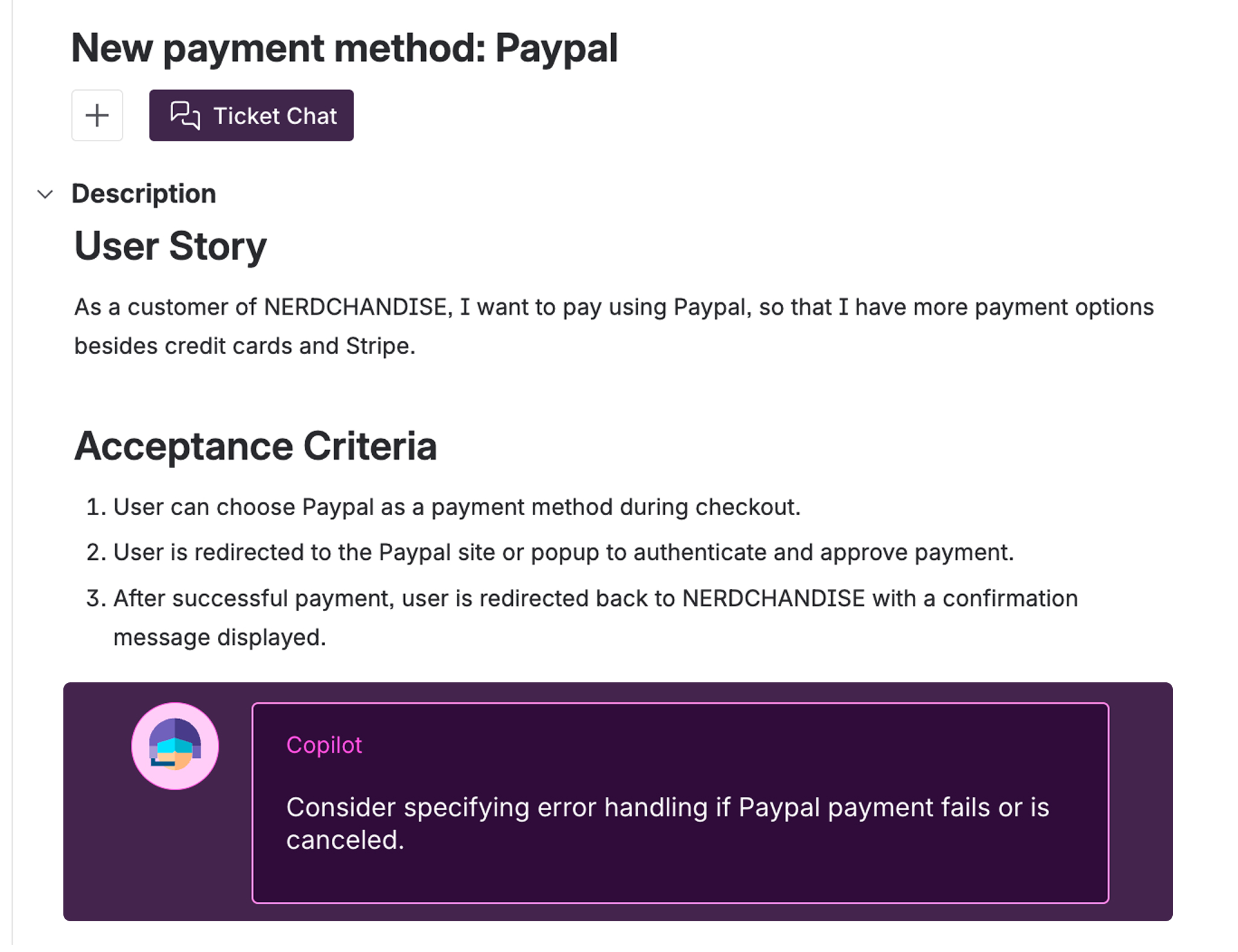
Requirements and Specifications Review
Before you start implementing, Product Copilot can review your requirements or specifications for completeness and clarity. Catch missing details, ambiguities, or edge cases before implementation.
Get clear requirements from the start and avoid rework later.
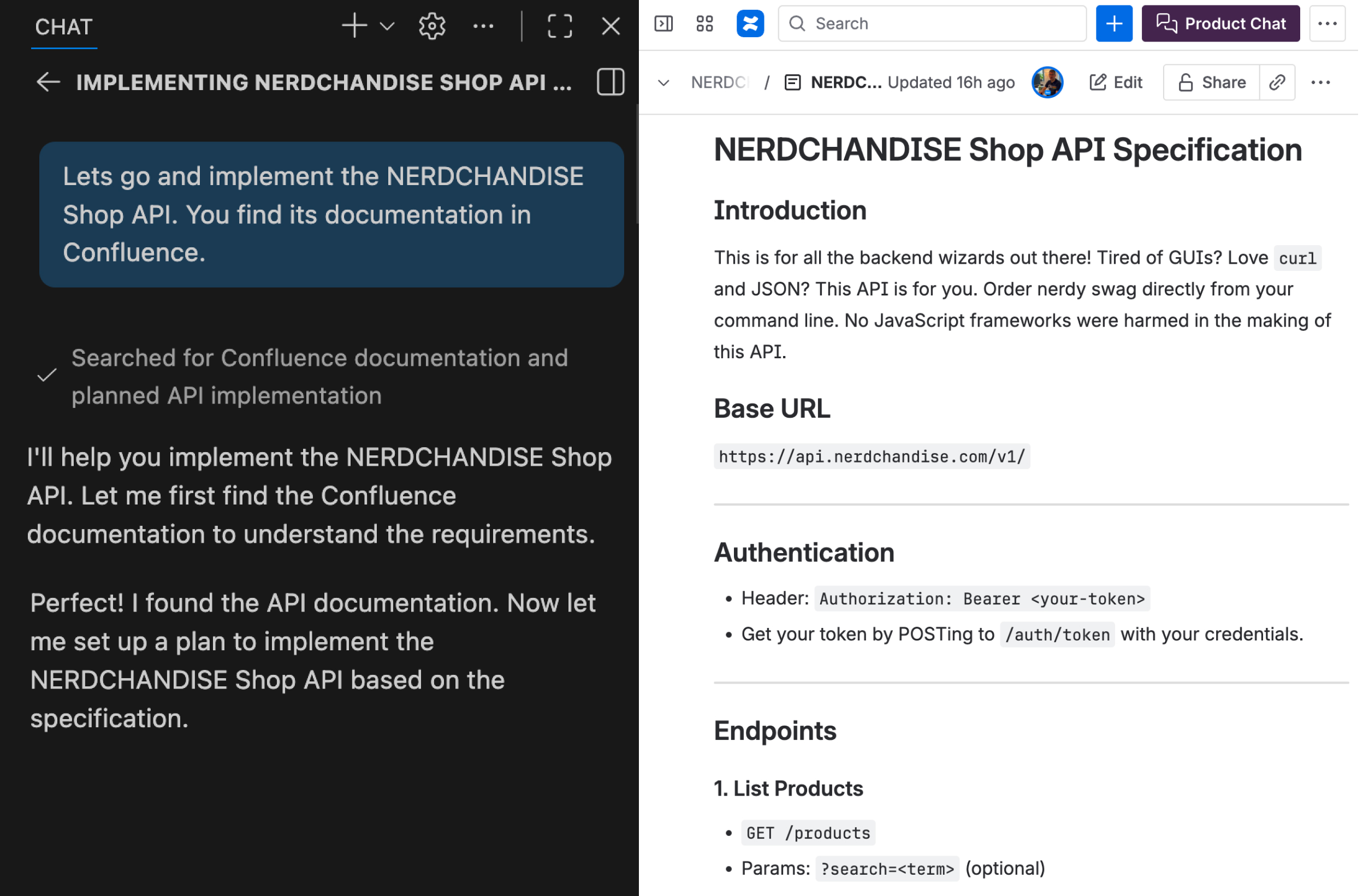
Access Specs in Confluence
Access technical specifications stored in Confluence without leaving your IDE. Reference architecture decisions, implementation specs, and system design while you code.
Reduce the gap between specs and implementation. Catch misalignments early when changes are cheaper.
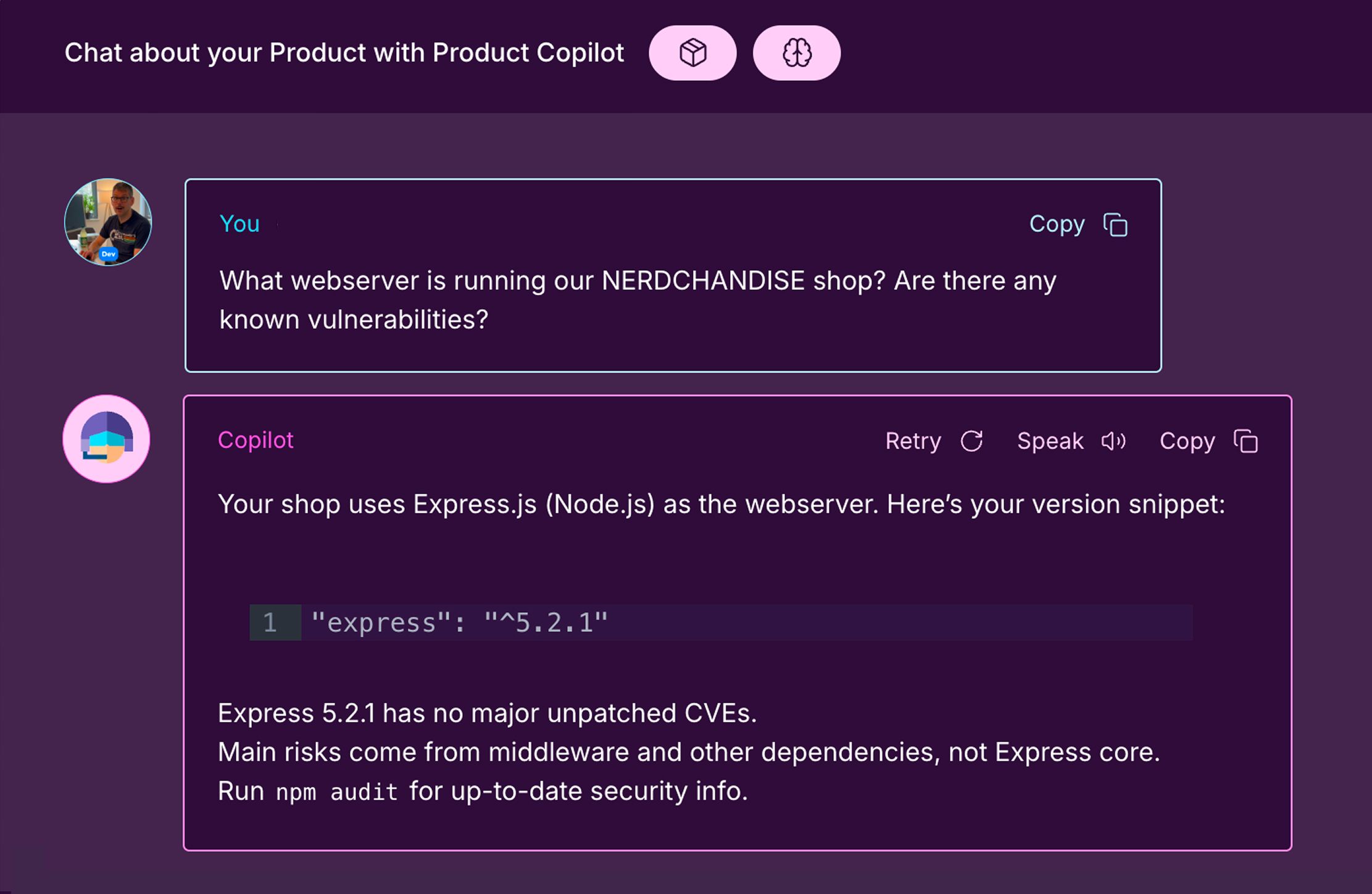
Get answers From Jira, Confluence, and Code
Feed your code and documentation to Product Copilot and access it without searching. Product Copilot uses Jira tickets, Confluence docs, and your codebase and data imported through our knowledge API to answer any of your questions.
Ask, and get answers from all your sources at once: requirements, architecture, and code decisions in seconds.
 Head of ProductsiSAX GmbH & Co. KG
Let’s be honest: writing precise tickets in day-to-day work isn’t easy. With Product Copilot, we get to clear requirements much faster and developers understand what’s needed right away. That means fewer questions, less back and forth, and faster delivery.
TRY PRODUCT COPILOT NOW
From install to impact in under 5 minutes
No complex setup. No disruption to your team's workflow. Full access. Completely free.
Install the browser extension
Add Product Copilot to Chrome. The extension makes Product Copilot available directly inside Jira and Confluence. It's not a separate tool.
Connect Product Copilot
Connect Product Copilot with your Jira and Confluence to create and work on issues. You decide if and what it can read.
Open Jira
Product Copilot is now available. You can chat, create, and work on issues directly in Jira and Confluence.