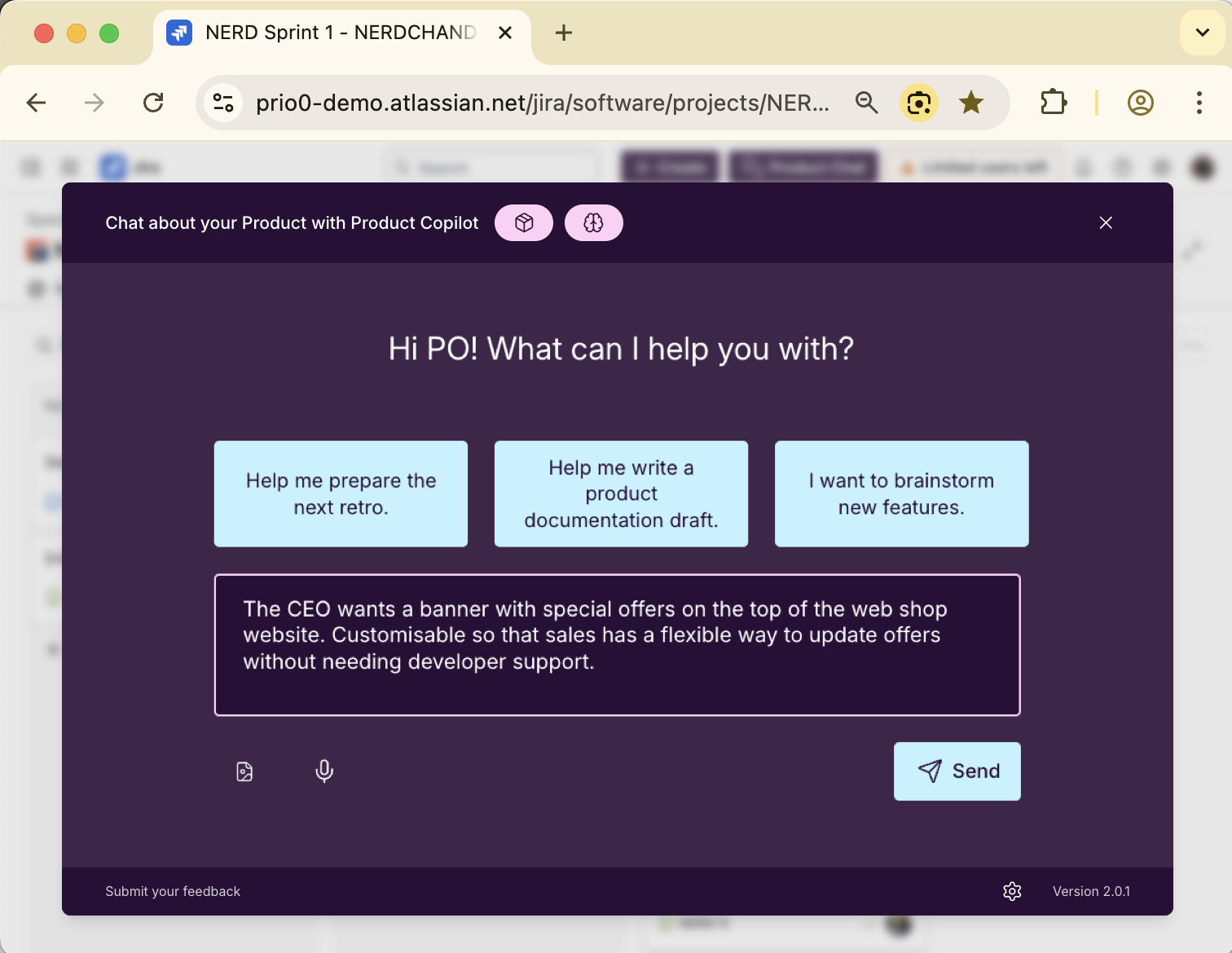
How Product Copilot Supports Testers & QA
Your AI assistant for quality assurance
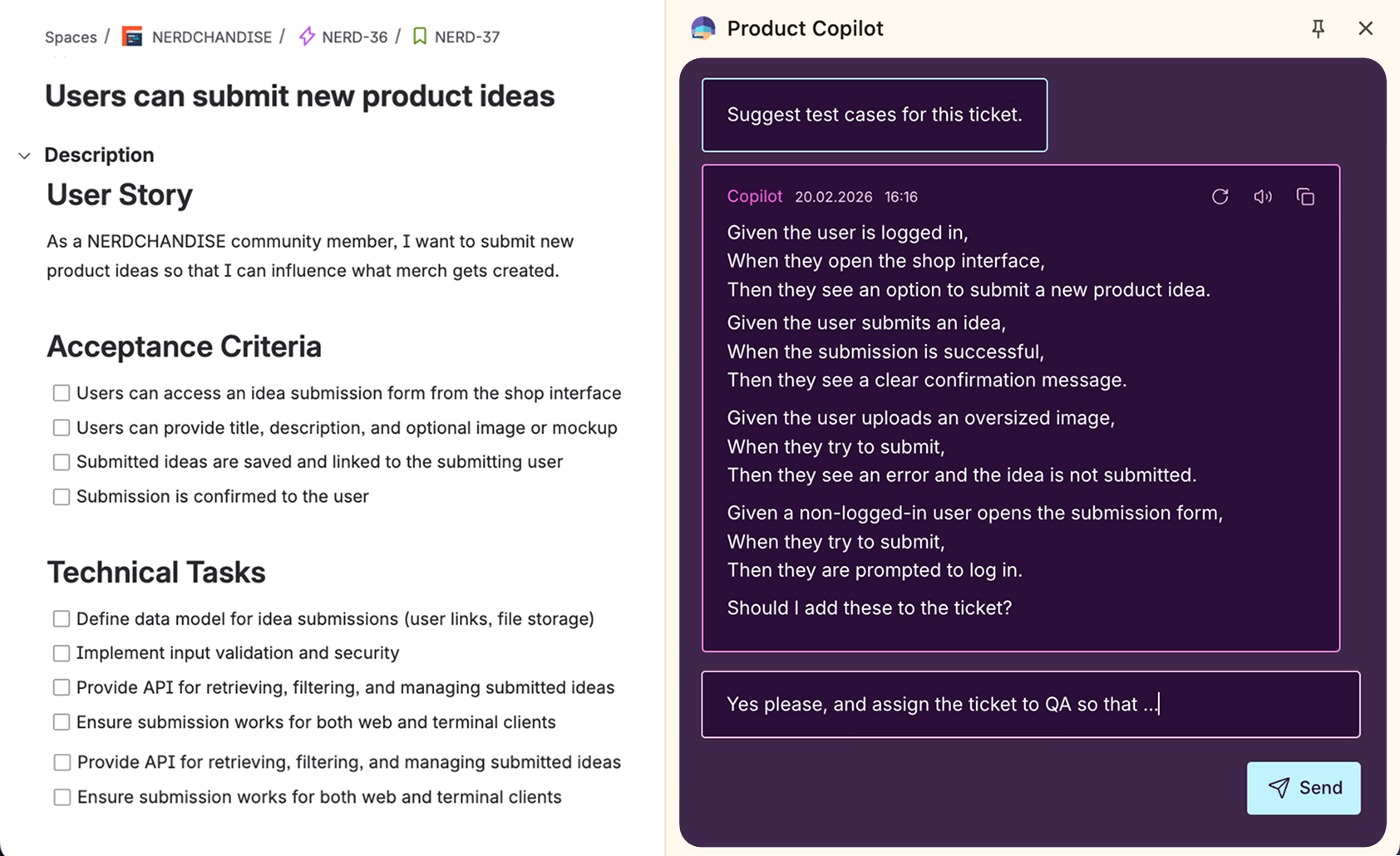
Test Case Suggestions
You got a clear ticket, but now it needs to be tested. Product Copilot suggests relevant test cases: Edge cases, validation rules, or things QA should double-check.
You save time thinking them through, and catch bugs before users do.
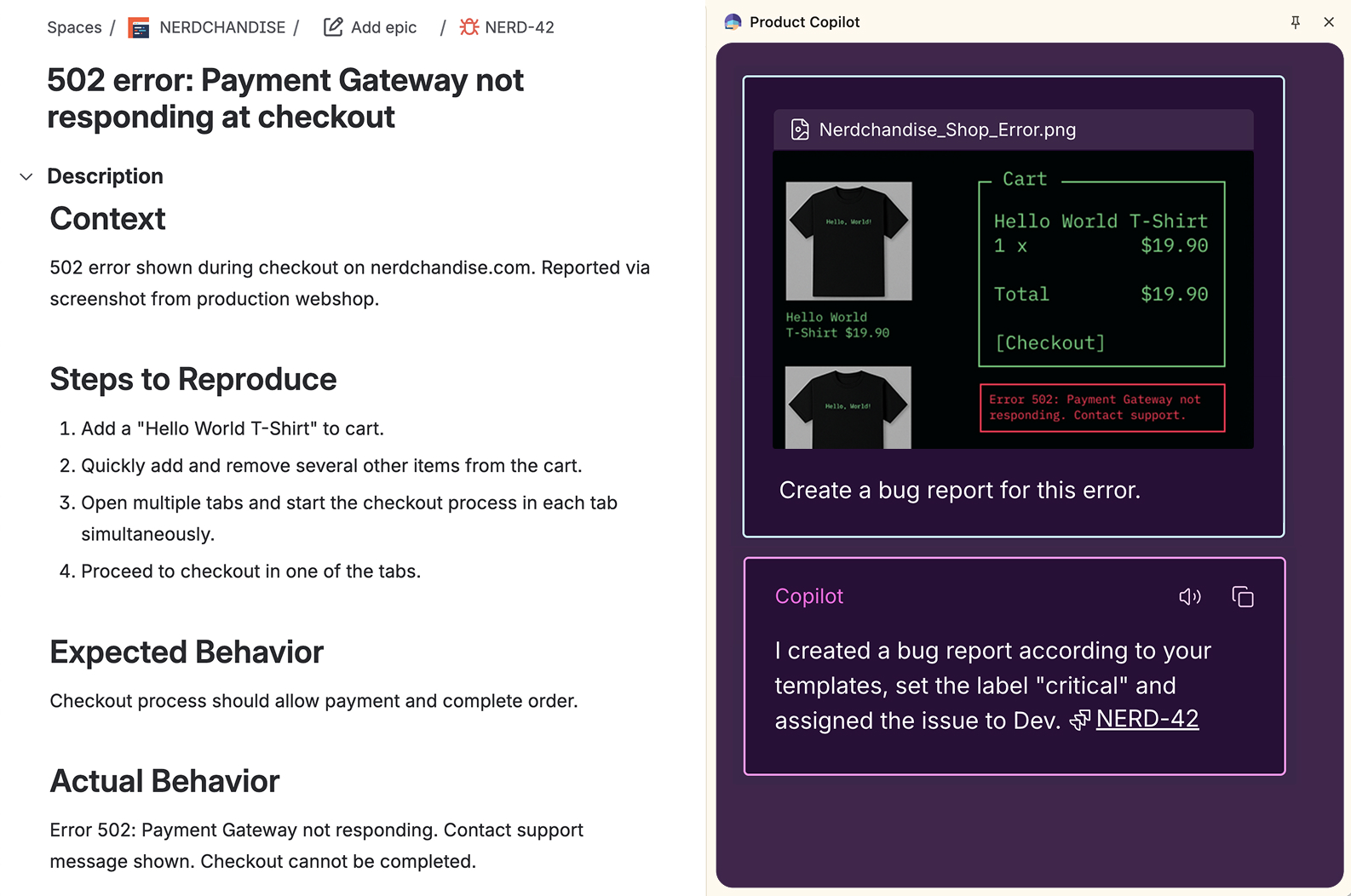
Write Bug Reports Based on Screenshots
Found a bug? Just upload a screenshot. Product Copilot analyzes the image and creates a detailed bug report with reproduction steps, expected vs actual behavior, and relevant details.
Save time on documentation. Focus on finding issues, not writing about them.
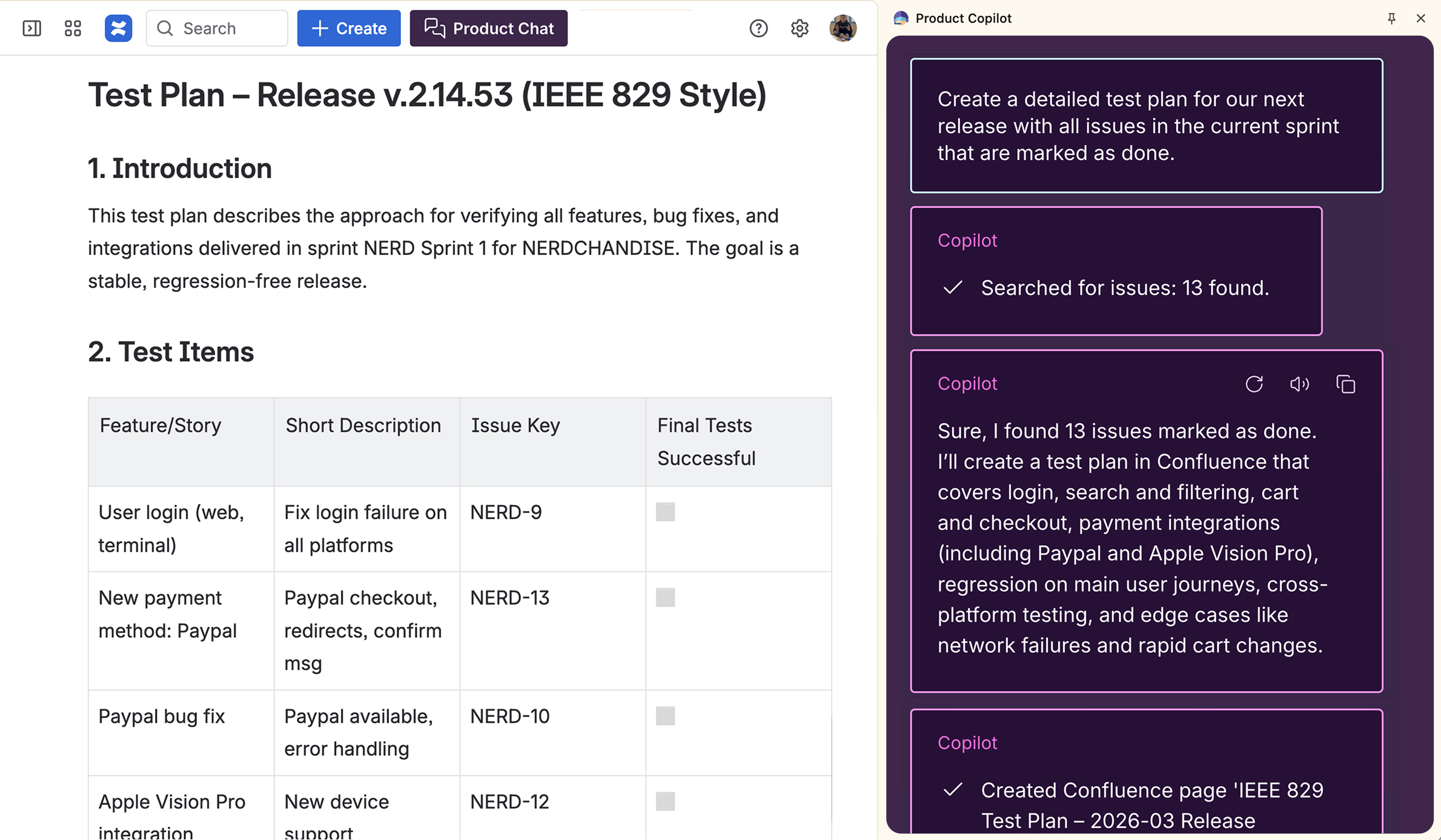
Create Documentation
Create documentation directly from your Jira tickets. Product Copilot turns your notes into structured QA documentation or generates test plans based on the current sprint or release issues.
Save the result directly as a Confluence page.
 Product Value EngineerXITASO GmbH
Input for requirements in my daily project work comes from many different sources. Besides saving time when writing them down, Product Copilot also acts as a sparring partner. It helps make sure the requirements are clear and complete from the start. This dialogue between human and machine leads to better quality right from the first draft.
TRY PRODUCT COPILOT NOW
From install to impact in under 5 minutes
No complex setup. No disruption to your team's workflow. Full access. Completely free.
Install the browser extension
Add Product Copilot to Chrome. The extension makes Product Copilot available directly inside Jira and Confluence. It's not a separate tool.
Connect Product Copilot
Connect Product Copilot with your Jira and Confluence to create and work on issues. You decide if and what it can read.
Open Jira
Product Copilot is now available. You can chat, create, and work on issues directly in Jira and Confluence.